




















Product Description
- Features
- Specifications
- Optional Functions
- Accessories
- Downloads
- Calibration
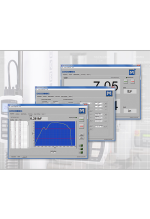
| ○ Run a test via the Standard, Graph, or Results views, and switch views as needed. Pass / Fail indicator easily identifies problematic samples. |
| ○ Blazingly fast – Force sensor sampling rate of 5,000 Hz yields accurate peak measurements even in quick-duration events. EasyMESUR® collects load and travel data at up to 100 Hz, and allows up to 100,000 data points per run. |
| ○ Customizable reporting – Print or create a PDF report, including results, statistics, graph, system and user information, and comments. |
| ○ Intelligent manual control – Manually control the test frame to obtain quick load and distance results, or manually position the crosshead prior to a test. Select from several actuation methods, including momentary (button-hold), maintained (button release) motion, jog mode with three distance presets, and FollowMe® force-based positioning. |
| ○ Save or export data – Save individual runs and results to a USB drive or internal storage within the control panel. Results sets and data from individual runs may also be exported as .csv files. |
| ○ Intelligent manual control – Manually control the test frame to obtain quick load and distance results, or manually position the crosshead prior to a test. Select from several actuation methods, including momentary (button-hold), maintained (button release) motion, jog mode with three distance presets, and FollowMe® force-based positioning. |
| ○ Calibrate force sensors on the test frame or off-site Off-site – Conveniently remove the force sensors for off-site calibration with a Mark-10 Model M7I or M5I indicator (requires optional AC1083 adapter). |
| ○ Secure user access – Control user access to sensitive areas, such as test editing and calibration via password. |
| Ready. Set. Go.
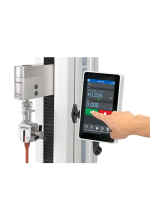
From IntelliMESUR®’s home screen, quickly access up to 10 favorite tests. Associate an image with each favorite for easy identification. |
|
Run a test via the Graph or Results views, and switch views as needed. Pass / Fail indicator easily identifies problematic samples. Individual runs may be invalidated if, for example, the sample slips out of the grips, or the test was interrupted. |
| Test setup is easy as 1-2-3
Basic TestsSelect a test type, and IntelliMESUR® will guide you through the setup. Multi-step testsBuilding upon basic test wizards, easily incorporate any combination of steps, with the ability to loop a sequence of steps. |
| Operator prompting
Prompts can appear at the beginning of each test, batch, or run. Ask prompts ask the operator for information which is saved in the results table – for example, a lot number. Type the response or use a barcode scanner. Tell prompts provide instructions to the operator, and can include an image.
|
| Take your measurements to new heights
Use Height Mode to determine height at a specific load, commonly used in spring testing. A datum may be set to define the reference point. |
| Deflection compensation
Series F test frames and force sensors are deflection-compensated at the factory, resulting in system distance measurement accuracy of ±0.002 in / 0.05 mm at any load and at any position along the frame. To further compensate grips and attachments, use IntelliMESUR®’s deflection compensation utility. The deflection offset file can be associated with the test setup file. |
| System Requirements ○ Windows 10 or later operating system ○ Minimum 4GB RAM ○ Minimum monitor resolution of 1310 x 885 ○ Minimum of two USB ports (one for a license dongle, one for a cable to the test frame) |


| Materials Testing Calculations Module
Characterize and analyze the behavior of materials, components, and assemblies with a suite of materials testing calculations, including: IntelliMESUR® formats calculations into a Results table, with corresponding statistics for multiple runs. View a stress-strain curve with annotated calculations. Display up to 10 runs simultaneously for visual comparison. |
|
Coefficient of Friction (COF) Testing Module Measure static and dynamic COF for a wide range of materials, per ASTM D1894 and other relevant standards. Specify the sled weight and configure data collection start and stop triggers. This module can be ordered upfront or enabled in the field via activation code. |























Reviews
There are no reviews yet.