






















Product Description
- Features
- Specifications
- Dimensions
- Accessories
- Downloads
- Calibration
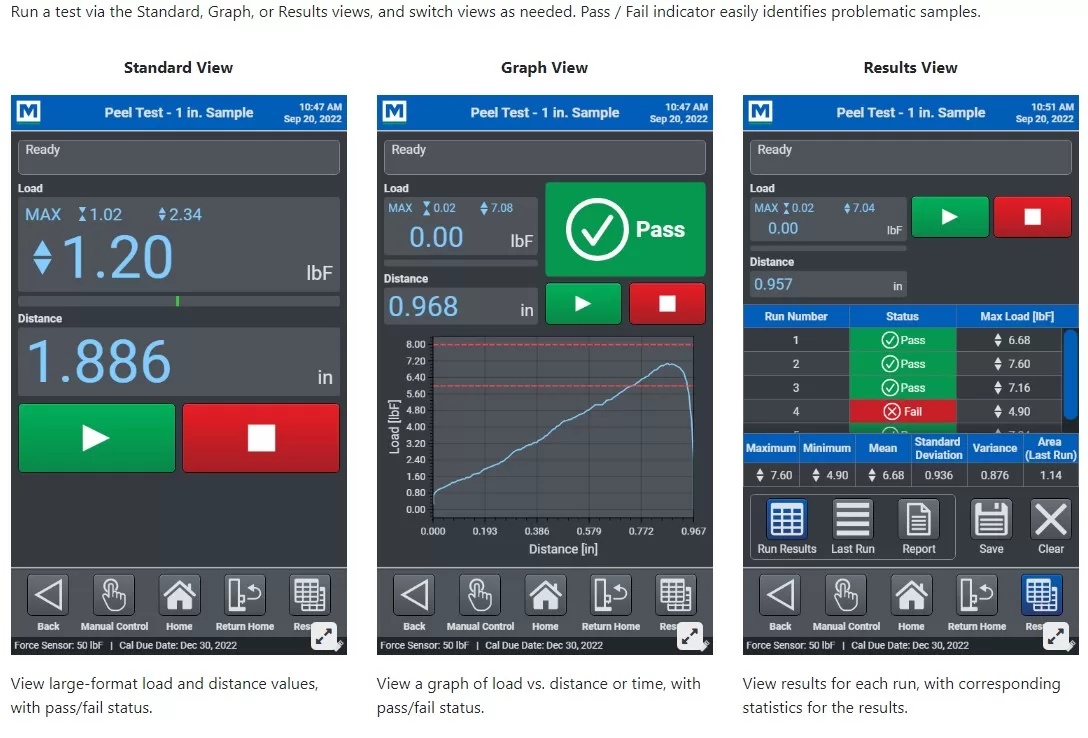
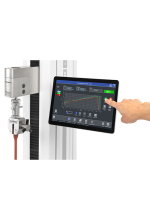
| ○ Run a test via the Standard, Graph, or Results views, and switch views as needed. Pass / Fail indicator easily identifies problematic samples. |
| ○ Blazingly fast – Force sensor sampling rate of 5,000 Hz yields accurate peak measurements even in quick-duration events. EasyMESUR® collects load and travel data at up to 100 Hz, and allows up to 100,000 data points per run. |
| ○ Customizable reporting – Print or create a PDF report, including results, statistics, graph, system and user information, and comments. |
| ○ Intelligent manual control – Manually control the test frame to obtain quick load and distance results, or manually position the crosshead prior to a test. Select from several actuation methods, including momentary (button-hold), maintained (button release) motion, jog mode with three distance presets, and FollowMe® force-based positioning. |
| ○ Save or export data – Save individual runs and results to a USB drive or internal storage within the control panel. Results sets and data from individual runs may also be exported as .csv files. |
| ○ Intelligent manual control – Manually control the test frame to obtain quick load and distance results, or manually position the crosshead prior to a test. Select from several actuation methods, including momentary (button-hold), maintained (button release) motion, jog mode with three distance presets, and FollowMe® force-based positioning. |
| ○ Calibrate force sensors on the test frame or off-site Test frame – EasyMESUR® provides an integrated utility, with an intuitive step-by-step wizard. Manual controls allow the technician to use the test frame to apply tension and compression forces. Off-site – Conveniently remove the force sensors for off-site calibration with a Mark-10 Model M7I or M5I indicator (requires optional AC1083 adapter). |
| ○ Secure user access – Control user access to sensitive areas, such as test editing and calibration via password. |
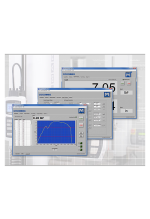
| Start and stop data collection, and view real time data in graphical and tabular formats. With MESUR®gauge Plus, the START button also initiates the motion of an ESM303, ESM303H, or ESM1500 motorized test stand*, consolidating complete test control into just one click |
| Configure test start and stop conditions. With MESUR®gauge Plus, set the initial test stand crosshead direction upon starting the test |
| Sophisticated analysis tools include an x-y cursor, statistical calculations with automatic re-calculation for a customizable data range, export to Excel, and more |
| High and low limit indicators help differentiate between an acceptable sample and a reject |
| View real time load and travel readings on an enlarged simulated instrument display |
| Mark-10 gauge / indicator settings can be configured through a simple interface |
| Easily customize reports and report templates |
| A typical report, containing customizable information fields, statistics, graph, raw data, and date and time |

























Reviews
There are no reviews yet.